Table of Content
Introduction
The report on POSM rests displays information collected by field employees about what POSM and in what quantity is in the outlets of your customers on the current date, based on previously created POSM accounting documents.
Attention!
This functionality is part of the business process of POSM accounting.
For its implementation into the ERP, an individual revision of the data exchange module may be required.
Please, contact technical support for more information.
Appearance
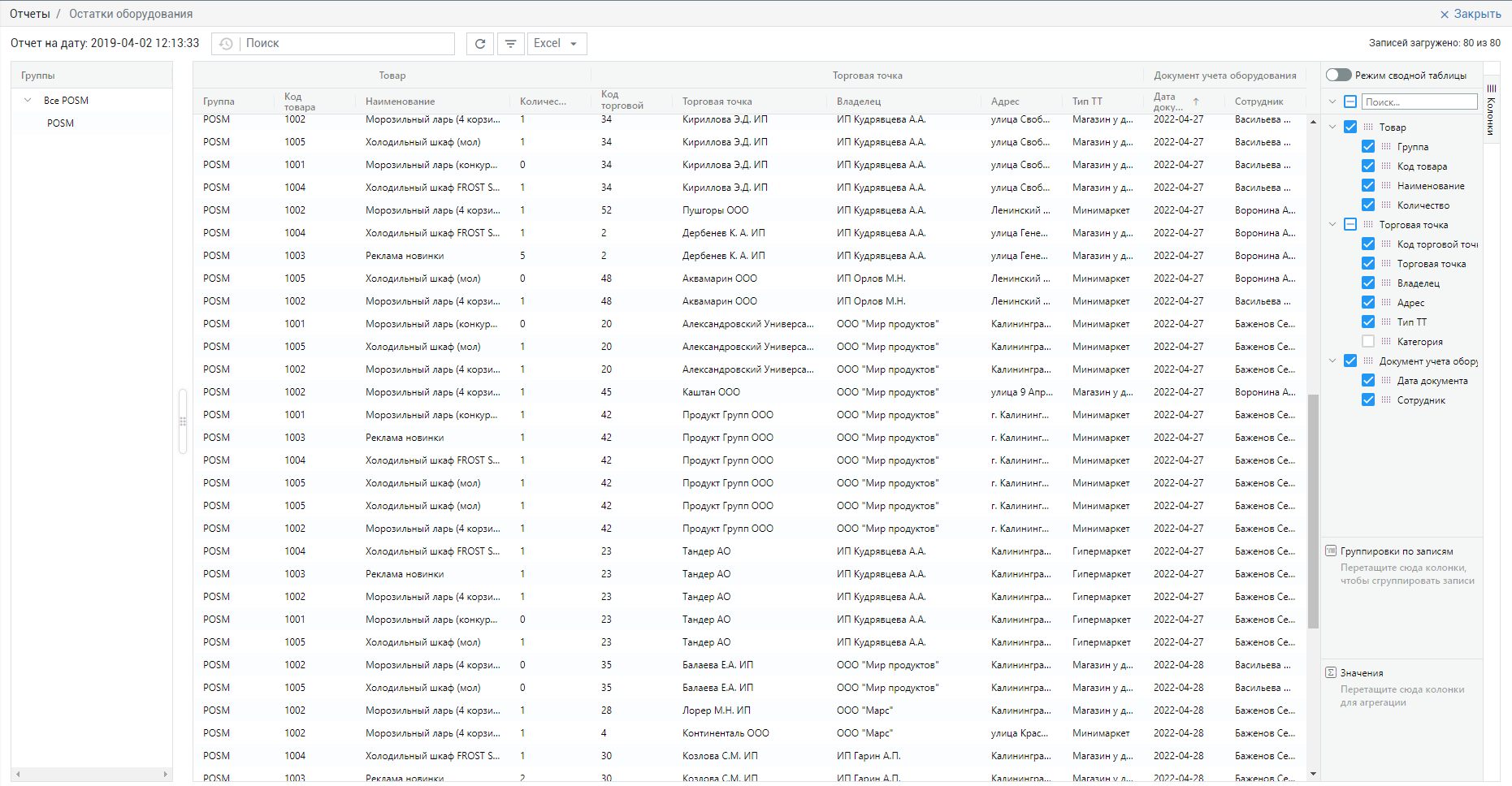
By default, the report on the remaining POSM looks like this.
The data is displayed as of the current date.
Report Attributes
| Title | Description |
|---|---|
| Group | Name of the group that the POSM in question belongs to. |
| Code | Code of the POSM. |
| Name | Name of the POSM. |
| Quantity | Quantity of the POSM rests. |
| Outlet Code | Otlet code. |
Outlet | The point of sale where POSM transactions were executed. |
| Owner | The head office of the chain or the owner of the client's business. |
Address | The address of the location of the outlet where POSM was accounted for. |
| Outlet Type | Outlet Type. |
| Document date | The date when the mobile employee created the POSM accounting document. |
| Employee | The name of the employee who created the POSM accounting document. |
If not all columns fit on the screen, horizontal scrolling of the screen appears to the right and left.
Display of columns, their width and relative position can be customized.
You can also enable grouping of records by the required columns or summarize the values in the columns.
To do this, drag the columns into the grouping by records or sum of values blocks under the list of columns on the right side of the page.
Additional report features
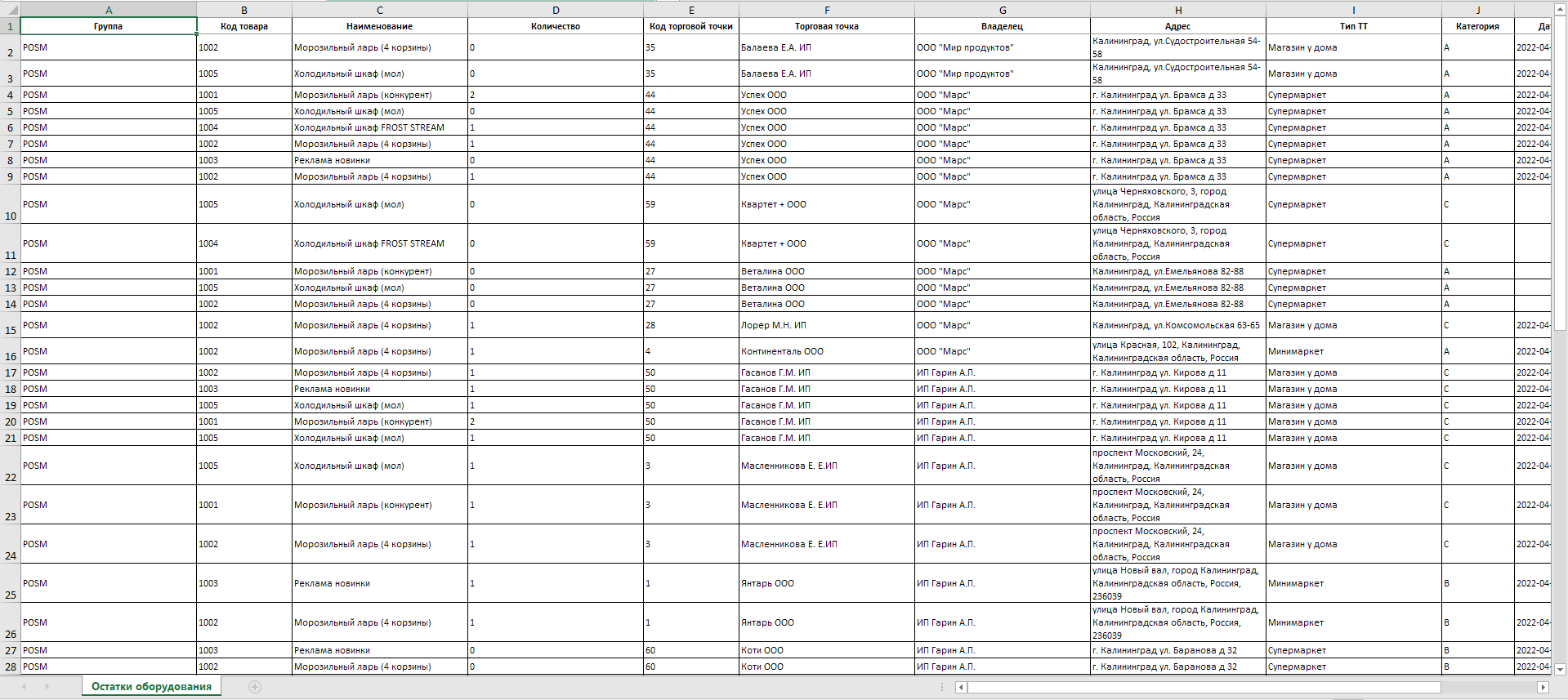
Export to Excel | Exporting the generated report in Excel format. |
|
|